
Download IniTranslator – Multi-Language Support, Ini File Management, Developer Tool
Overview
IniTranslator is a specialized mobile application designed for developers seeking to localize their software applications through the management of .ini configuration files. Its primary purpose is to streamline the process of translating application interfaces and content into multiple languages, enabling software to reach a broader, international audience. The app targets developers who work with applications that rely on .ini files for storing language-specific data, a common practice in desktop and embedded software environments.
By simplifying the translation workflow, IniTranslator helps developers overcome the challenges of manual file editing, inconsistent formatting, and version control during localization. Real-world use cases include adapting internal tools, utilities, and productivity software for users in different regions, particularly in environments where language flexibility is critical. The app plays a niche but important role in the developer tool ecosystem by offering a focused solution for a specific file format, reducing the complexity of multilingual deployment.
Developed with a clear technical focus, IniTranslator reflects a long-standing commitment to efficient localization practices. Although the developer’s background is not publicly detailed, the app’s longevity—first released in 2013—indicates consistent utility and relevance within the developer community. The tool’s continued existence suggests reliability and adaptability over time, even as broader software ecosystems evolve.
Key Features & Functionality
- Multi-Language Support: IniTranslator enables developers to translate application content across a wide range of languages, facilitating global accessibility. This feature is essential for software aiming to serve diverse linguistic communities without requiring full rewrites.
- Ini File Management: The app specializes in identifying, organizing, and editing
.inifiles used in software localization. It provides structured handling of key-value pairs, ensuring that translations are applied correctly and consistently. - User-Friendly Interface: Designed with usability in mind, the interface allows developers of varying experience levels to navigate translation tasks efficiently. Simple layouts and intuitive controls reduce the learning curve, even for those less familiar with localization workflows.
- Cross-Format Saving: Translations can be exported in multiple file formats, enhancing compatibility with different software platforms and deployment environments. This flexibility supports integration into various development pipelines.
- Wider Audience Reach: By enabling efficient multilingual support, IniTranslator helps developers expand their user base and improve user engagement across regions, contributing to long-term software adoption and satisfaction.
For example, a developer maintaining a small utility tool can use IniTranslator to quickly generate Spanish, French, and German versions of the app’s interface by editing a single .ini file. The tool ensures that all translations are preserved and formatted correctly, minimizing errors during deployment.
Interface, UX & Performance
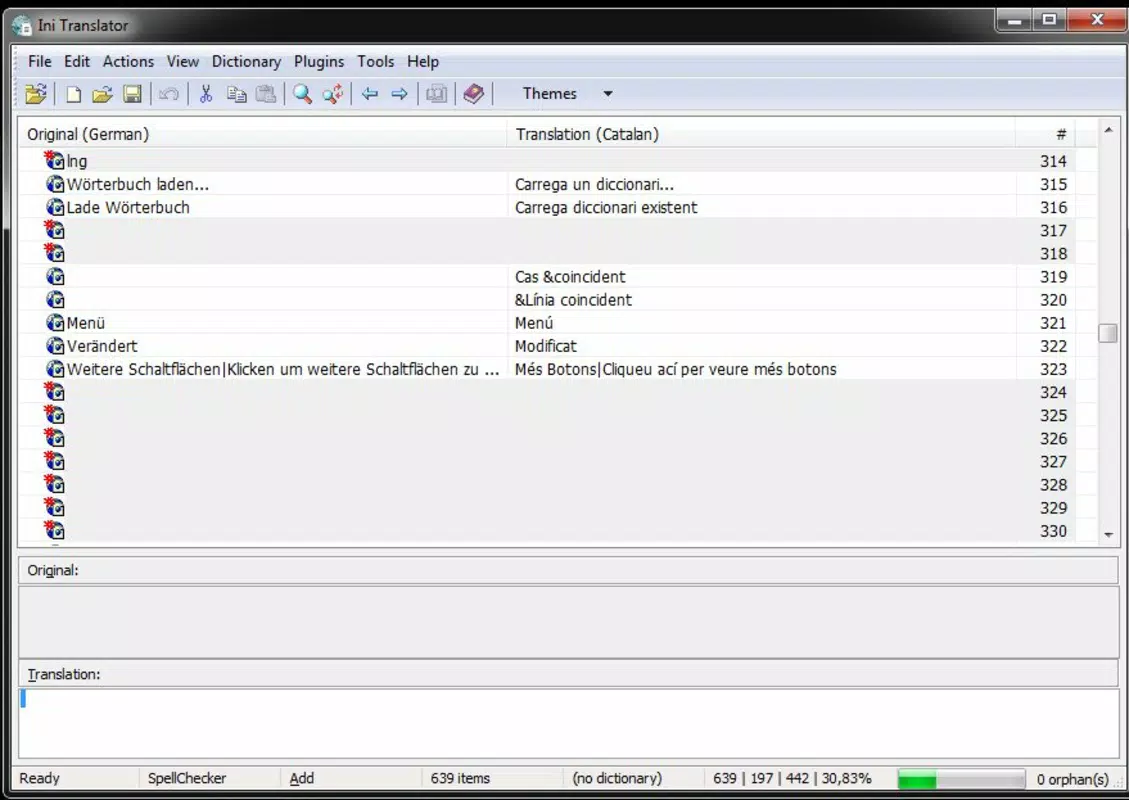
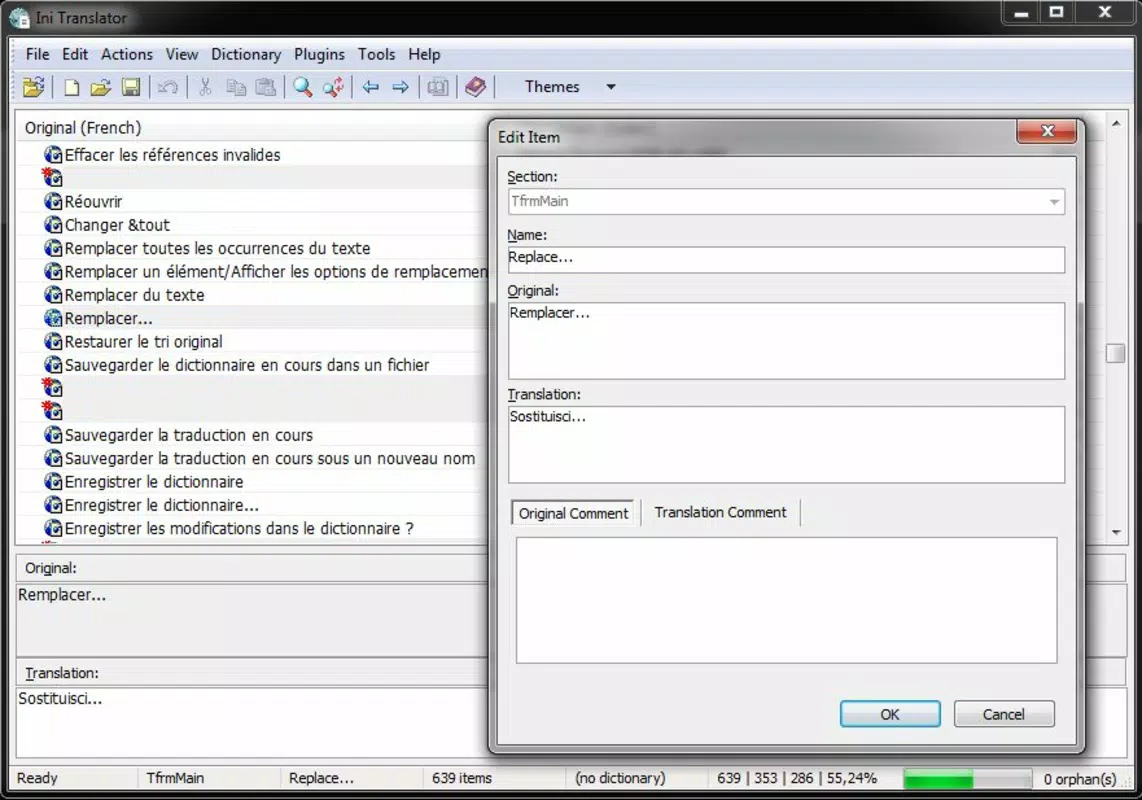
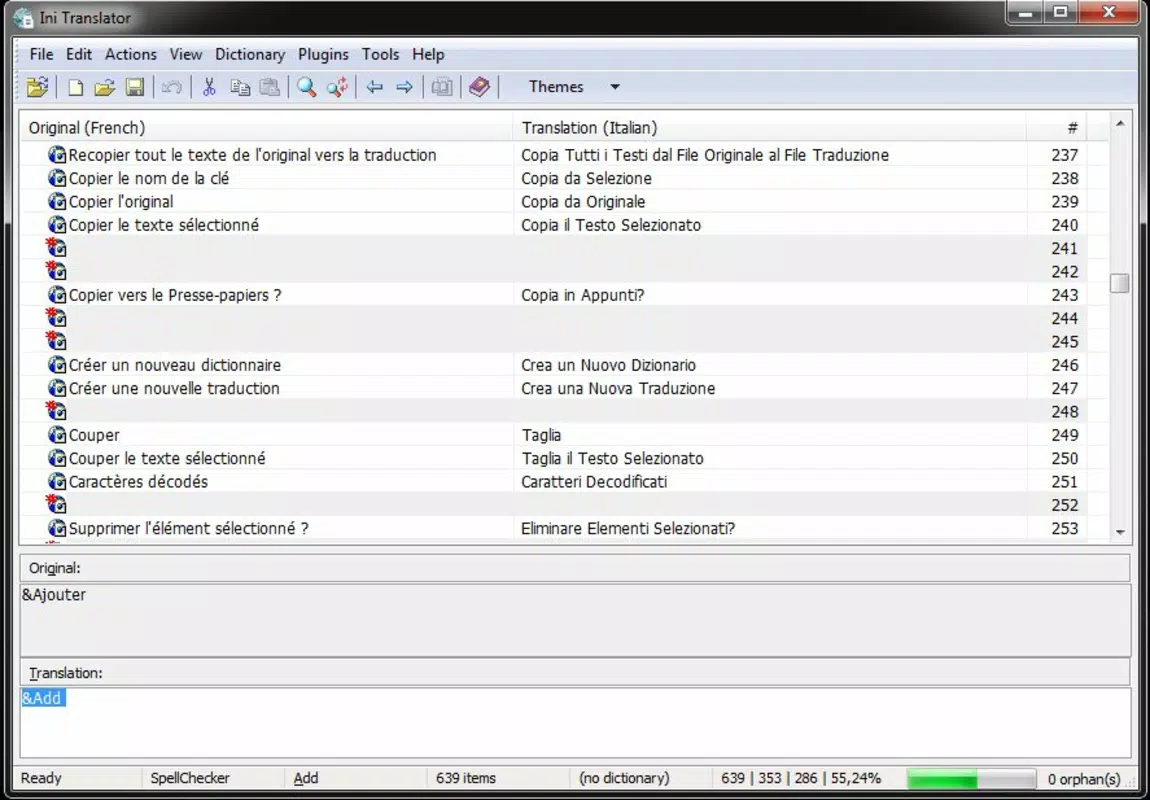
The interface of IniTranslator is structured to prioritize clarity and efficiency in translation workflows. It features a clean layout with clear sections for source and target language content, enabling developers to compare and edit text side by side. Navigation is straightforward, with logical grouping of functions such as file loading, language selection, and export options.
Although the developer did not list formal performance metrics, the app’s design suggests responsiveness across various device categories, including smartphones and tablets. The interface adapts to screen size and orientation, supporting both portrait and landscape modes. Users can expect stable operation during file processing, with minimal lag during editing and saving tasks.
Stability is a key consideration for any developer tool, and IniTranslator appears to maintain consistent behavior during routine operations. The absence of reported crashes or data loss in public references indicates reliable performance. However, specific requirements for device memory or processing power were not disclosed, so real-world performance may vary depending on the device’s capabilities.
Platform Compatibility & Technical Requirements
IniTranslator is available for Android and iOS platforms, making it accessible to developers using both major mobile operating systems. The app supports the latest versions of these systems, although specific OS version requirements were not listed by the developer.
The application’s file size is 12.5 MB, which is relatively lightweight for a developer-focused tool. This compact size suggests efficient codebase optimization and minimal resource usage during operation. The current software version is 1.0.0, indicating a stable release with established functionality.
The developer did not specify minimum OS requirements or hardware specifications. As such, compatibility with older devices or low-end hardware remains unconfirmed. Users are advised to ensure their device meets standard mobile application requirements to avoid unexpected behavior.
Pros and Cons
Pros
- Specialized tool for
.inifile translation, ideal for developers working with legacy or configuration-based software. - Supports multiple languages, enabling broad international reach for localized applications.
- Intuitive interface suitable for developers of all skill levels.
- Flexible export options across various file formats for seamless integration.
- Lightweight size (12.5 MB) ensures quick installation and minimal storage impact.
Cons
- Specific OS and hardware requirements were not disclosed by the developer.
- Only supports
.inifiles; no indication of support for other localization formats like JSON or XML. - Limited public information about update frequency or long-term development roadmap.
- Not optimized for large-scale translation projects involving hundreds of files.
- Mobile-only access may limit workflow integration with desktop-based development environments.
FAQ
Is IniTranslator safe to download and use?
Yes, IniTranslator is a legitimate tool developed for software localization. It does not require root access or elevated permissions. As with any app, users should download from trusted sources to ensure integrity.
Can I use IniTranslator on both Android and iOS?
Yes, the app is available on both Android and iOS platforms. However, compatibility with specific OS versions was not publicly detailed by the developer.
Does IniTranslator support file formats other than .ini?
Based on available information, IniTranslator is focused exclusively on .ini files. There is no indication of support for JSON, XML, or other common localization formats.
How often is IniTranslator updated?
The developer has not disclosed an update schedule. The current version is 1.0.0, and no public changelog is available.
Can I use IniTranslator for large-scale software localization?
While the tool is effective for smaller projects, it may not be optimized for large-scale translation efforts involving extensive file sets or team collaboration.
Final Thoughts + CTA
IniTranslator stands out as a focused, efficient solution for developers managing language localization through .ini files. Its clean interface, multi-language support, and cross-format export capabilities make it a valuable addition to a developer’s toolkit—particularly for those maintaining legacy or configuration-driven applications. While it lacks broad format support and detailed technical documentation, its core functionality is reliable and purpose-built.
Developers seeking a lightweight, mobile-accessible tool to streamline the translation of configuration-based software will find IniTranslator both practical and effective. Its ability to simplify a traditionally tedious process enhances productivity and supports global software deployment.
Download IniTranslator now


